Live Voice Agent
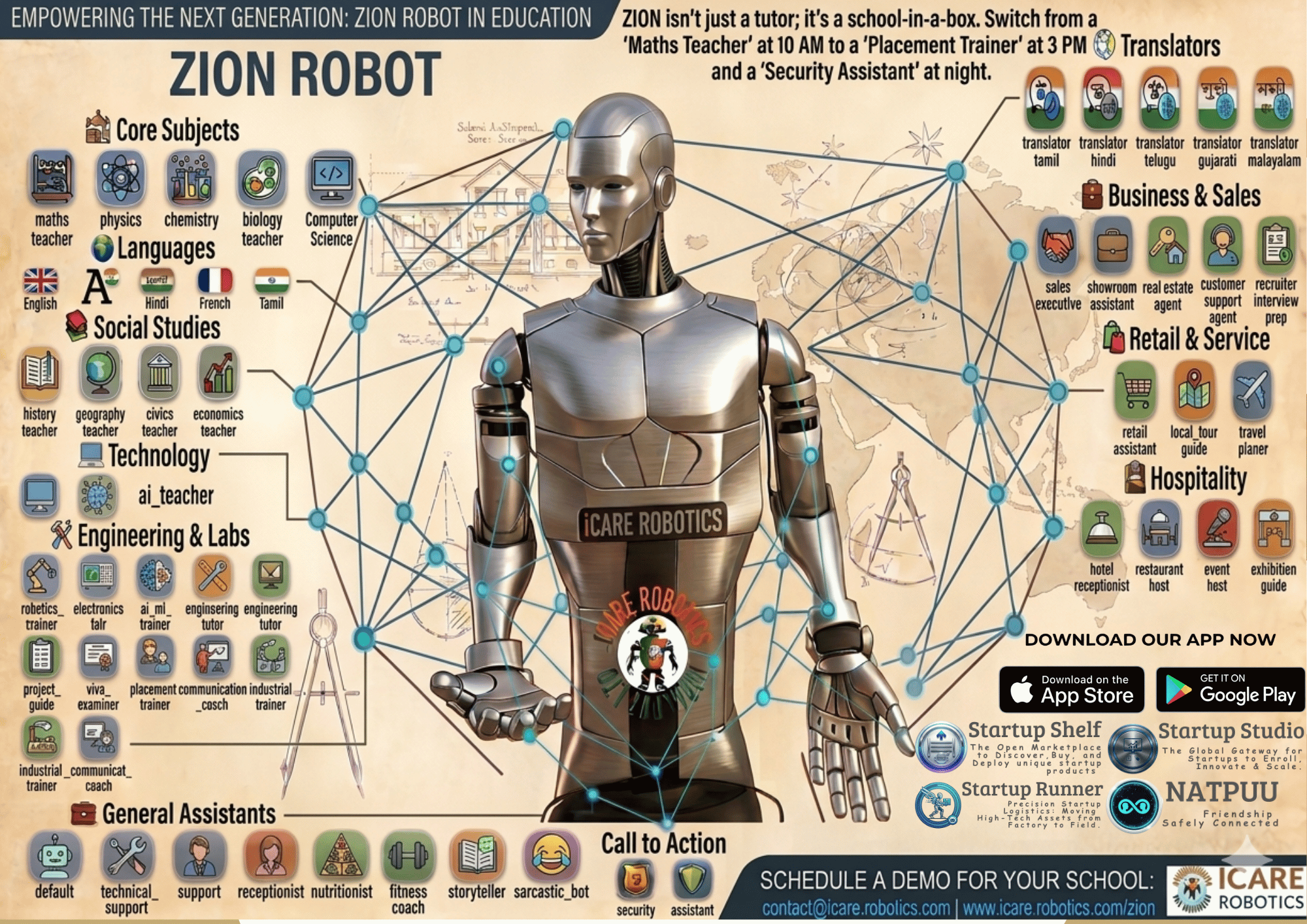
Real-time conversational AI (LiveKit + Gemini) that listens, thinks, and speaks with natural turn-taking, lip-sync and emotion — switchable across 60+ specialised personas on the fly.
Instant Translation
Dedicated translator modes convert speech live between English, Tamil, Hindi and more — ZION repeats every sentence in the target language for true vernacular access.
Interactive Smartboard
A live classroom display mirroring what ZION teaches: word-by-word "Now Speaking" karaoke, lesson decks, PDF pages, live camera and real-time class analytics — all in one view.
PDF Lesson Engine
Upload any lesson PDF; ZION extracts the text (with OCR for scans), auto-builds teaching slides and a spoken script, then presents it section-by-section on the smartboard.
Teacher Session Recorder
ZION records and transcribes a live teacher's lesson, auto-summarises it, and turns it into a knowledge base — students then ask questions by voice and ZION answers from exactly what was taught.
Engagement Vision AI
On-device MediaPipe models track attentiveness, raised hands, class mood and focus trends — plus sleeping, phone use, talking, confusion, yawning and cheating alerts. No cloud, no camera data ever leaves the room.
Gesture Control
Students drive the class with their hands: raise one hand to pause for a question, wave both hands when bored to trigger a gamified quiz — ZION reacts instantly.
Live Quizzes & Polls
Interactive checkpoints with voice or clicker answers, instant explanations, live leaderboards, class polls and exit tickets — gamifying participation in real time.
Voice Attendance
Automated roll-call: ZION calls each name, students simply say "present," and the smartboard marks a live present/absent roster that saves straight into attendance reports.
Live Captions
Every word ZION speaks is captioned on-screen in real time — improving accessibility and comprehension for every learner.
Smart Scheduler
Timetable ZION like a real teacher: auto start/stop sessions and switch agent modes on a schedule so the right lesson runs at the right hour, unattended.
Analytics & Reports
An intelligent session dashboard grades engagement, attentiveness and quiz accuracy, surfaces AI recommendations, and exports a shareable PDF report after every class.
Remote & Streaming
Wake, stop, switch modes and stream ZION's live camera to any smartboard from a remote control panel — with viewer and multi-party conference modes built in.
Edge Privacy
All speech, vision and analytics run on-device. The classroom keeps its data — no bandwidth, no cloud dependency, no privacy trade-offs.